Zyhap Marketing for in-house teams
Drafts, reviews and sign-off in one place.
Give writers, reviewers and publishers the right permissions, take posts through your review stages, and keep spend, leads and revenue next to each campaign. Let AI draft the work, and choose what needs a person’s sign-off.
- No card needed
- Cancel any time
- Pay in naira at checkout
You set the direction. AI does the legwork.
Ask ChatGPT, Claude or Gemini for a week of posts or an ad from a flyer, then edit, approve and launch it yourself.
This week
Weekend sale campaign
- Waiting for your OKAd
Weekend sale, $50 over 2 days
Drafted by ChatGPTApprove and launchEdit - Sat 10:00Post
48 hours only: 20% off everything
Written by ClaudeEdited by Emma - LivePost
How we started, in five photos
Written by Leo

Publish to
Sound familiar?
The work is done. The sign-off is somewhere else.
Approvals spread across chat threads and email.
Nobody is sure which version is the final one.
Anyone who can write a post can also publish it.
Reports show reach, and the budget question stays open.
Start on the free plan
Create your account and connect a channel, with no card. Add units for more channels and teammates when the team is ready.
- No card needed
- Cancel any time
- Pay in naira at checkout
How it works
From sign-up to scheduled
- 1Set who does whatSplit writing from publishing by permission, and give each person only what the job needs.
- 2Connect your accountsSign in through each network’s official login and bring your channels into one workspace.
- 3Draft, review, sign offWork through your review stages and checklists on the real preview, with every comment kept on the post.
- 4Measure the campaignKeep posts, ads, tracked links and promo codes under one campaign, with spend next to leads and sales.
ChatGPT
Connected to ZyhapLaunching an ad
- weekend-sale.pngMake a Meta ad from this flyer. $50 in total, two days, the US and Canada.
- Draft ready: traffic to your site, $50 over 31 Oct to 1 Nov, the US and Canada, run from your Facebook Page. The preview passed. Launch it?
- Launch it.
- Launched. I will tell you how it is doing tomorrow morning.Ad live
AI assistants
Your assistant brings the idea. Zyhap does the rest.
Connect ChatGPT, Claude, Gemini or another assistant and just ask. It writes and schedules posts in your brand voice, builds and launches campaigns and ads, and tells you what worked, all inside Zyhap, with your permissions and approval rules.
Also works with Cursor, Grok, VS Code and any assistant that connects to an MCP server.
One campaign, passed between you and your AI.
Every step is done by whoever is best at it, and every step is tagged with who did it. Your approval rules decide which posts need sign-off, and no ad launches or spends money without a person saying yes.
- You
- Your AI
- Your client
- 01
You
Write the brief
A weekend sale, a budget and a flyer, typed into the chat.
- 02
Your AI
Draft every channel
A post for Instagram, LinkedIn and Facebook, and a Meta ad, in your brand voice.
- 03
You
Edit the caption
Change a word, swap the picture, move a post to Friday.
- 04
Your client
Approve it
Your client or manager says yes on the post itself.
- 05
Your AI
Launch and publish
Once you confirm, the ad goes live and the posts go out on time.
- 06
Your AI
Report back
What it cost per click, which post brought customers, what to try next.
Plan and schedule posts
“Write next week’s posts for Instagram and LinkedIn.” Drafted in your voice and put on the calendar.
Create and launch ads
Hand it an image from the chat. It prepares the ad, shows the preview and launches when you say so.
Run whole campaigns
Start from a template, set the budget, send it for approval, then pause, resume or end it.
Ask about the numbers
“Which ads cost the most per click?” Answered from your own results, not guesses.
- It can only do what you can do
- Posts follow your approval rules
- It asks before it launches or spends
- Disconnect it any time
What it does
What the team needs from draft to result.
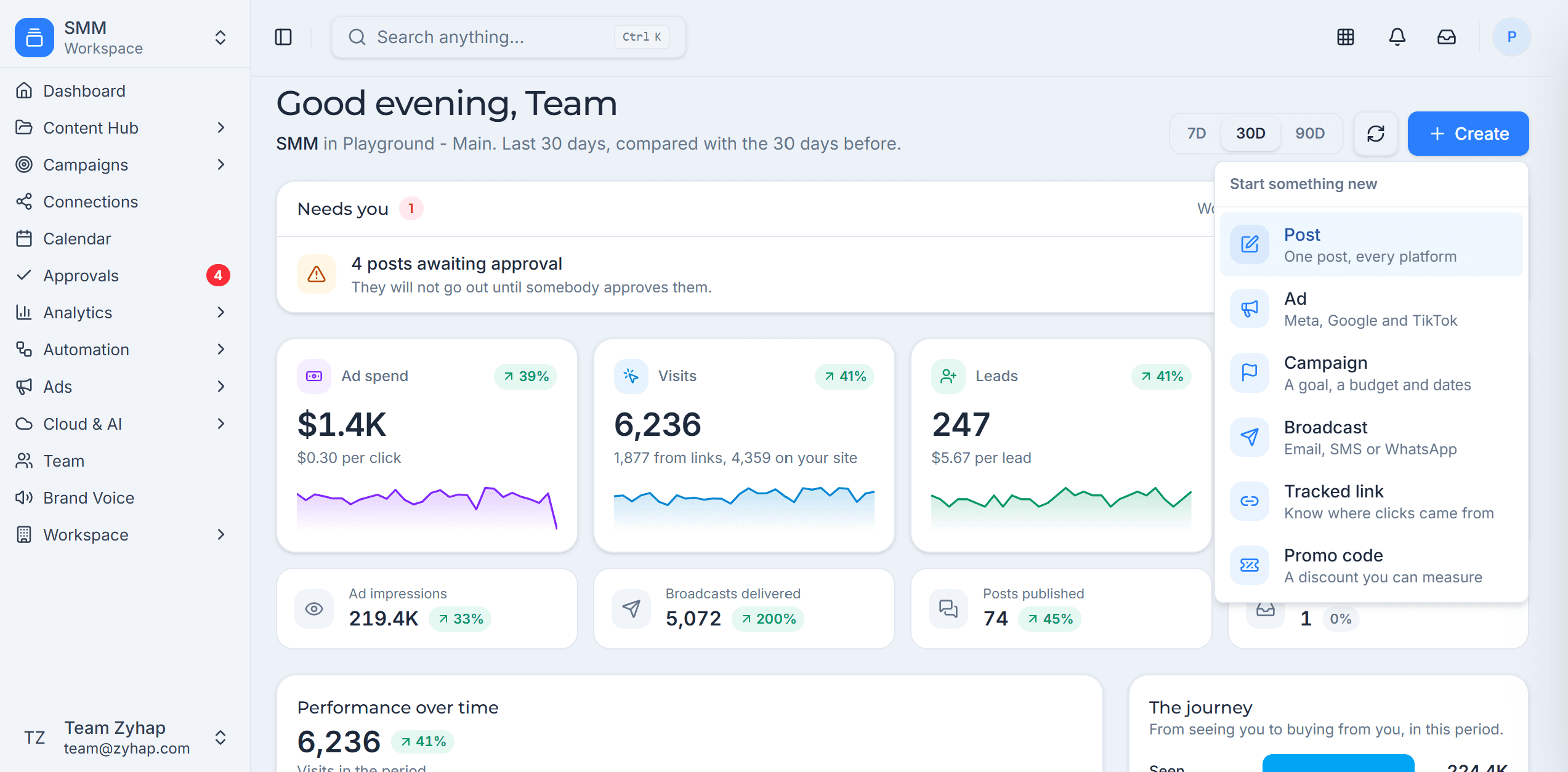
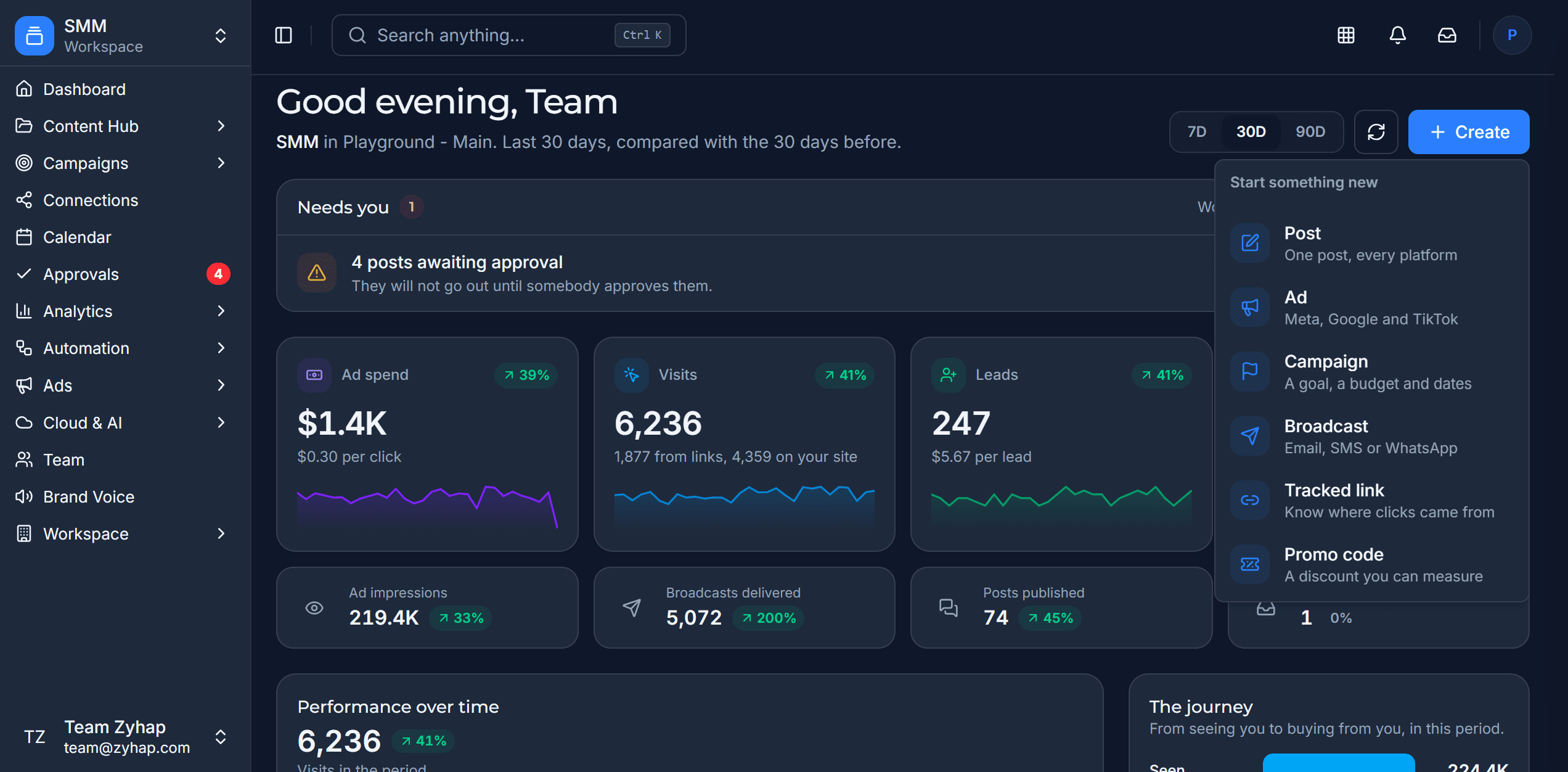
Everything a social team does in a week, in one place, with each network’s own rules handled for you.
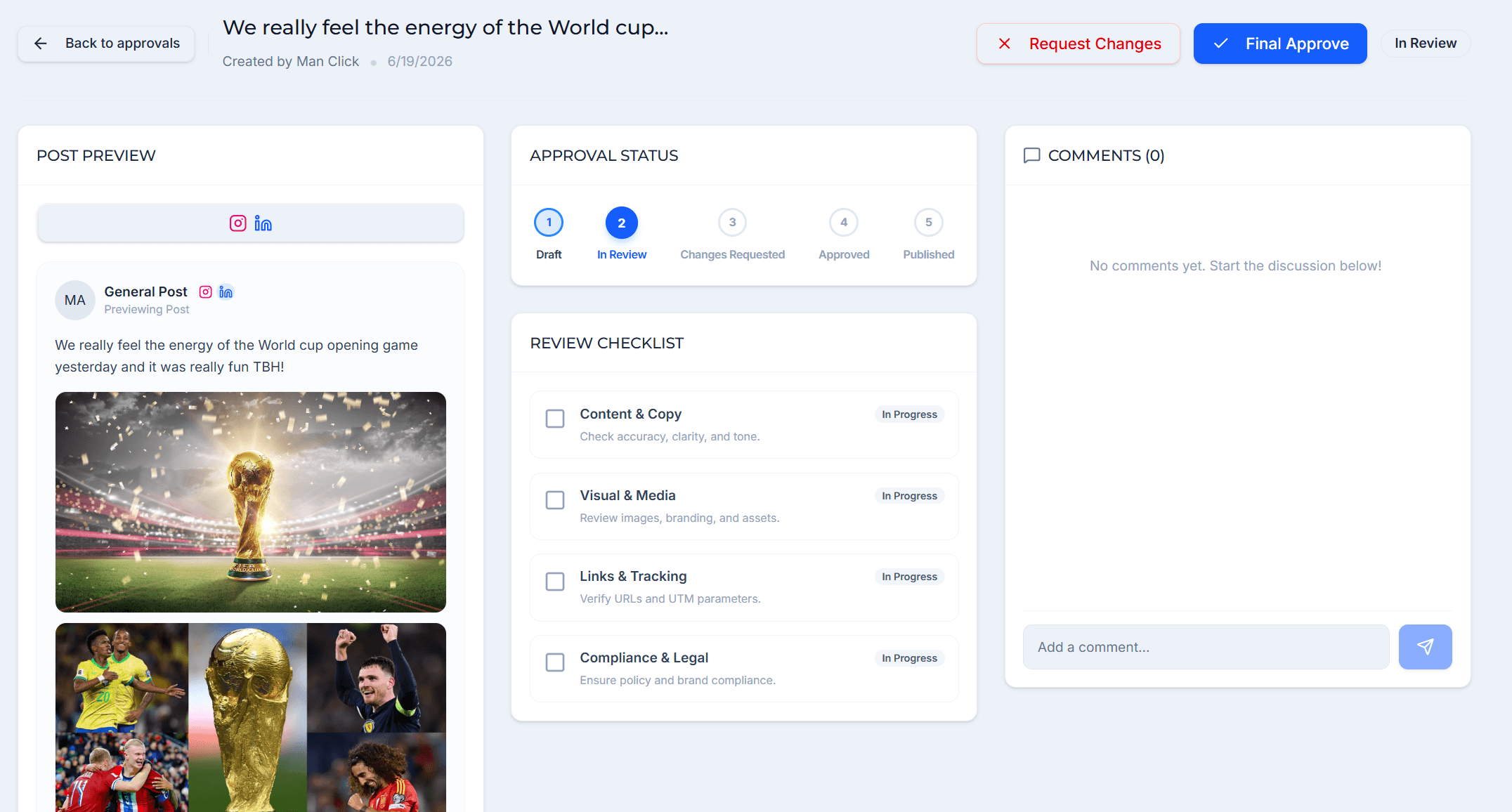
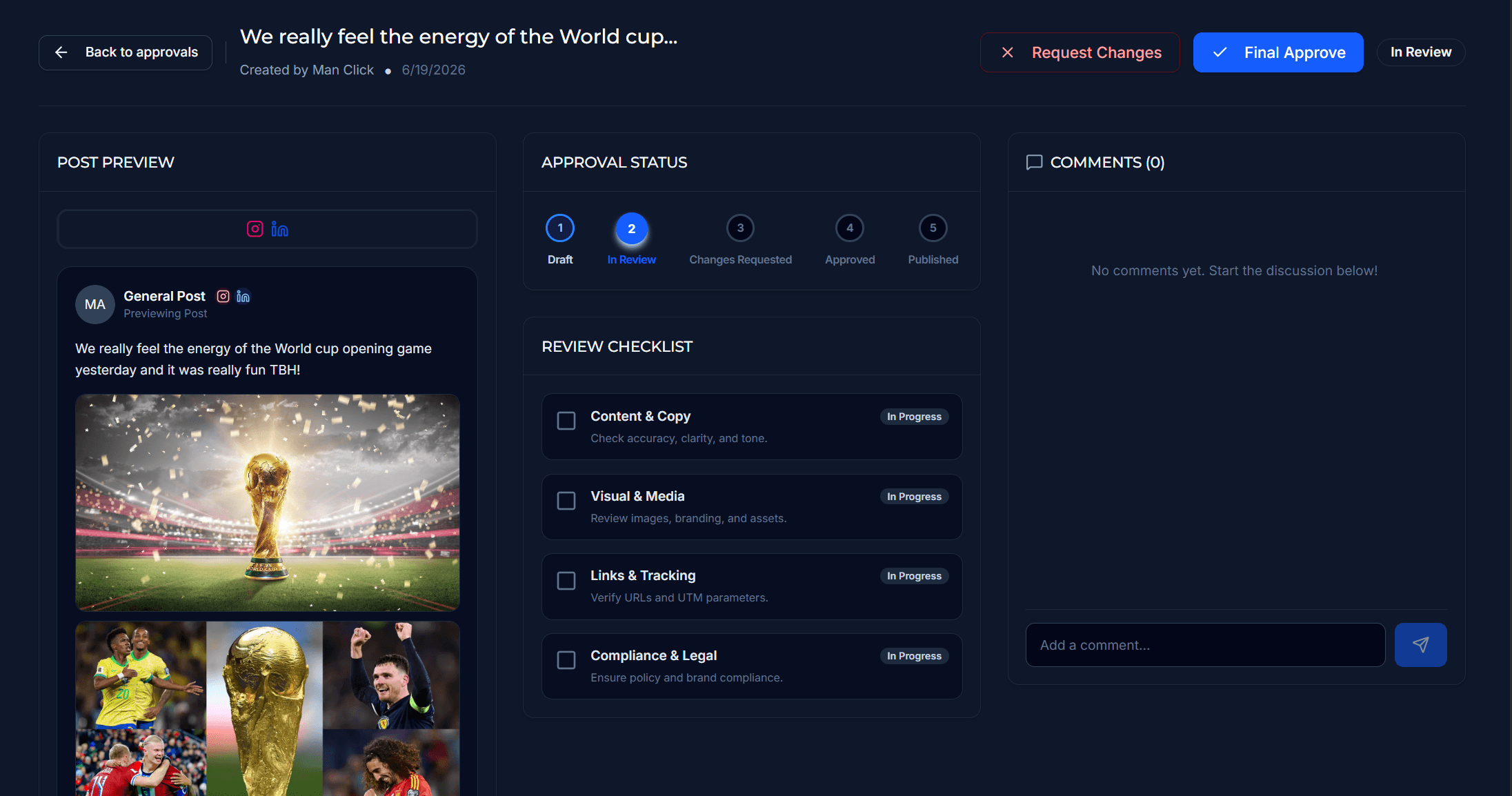
Draft to approved, without the WhatsApp thread.
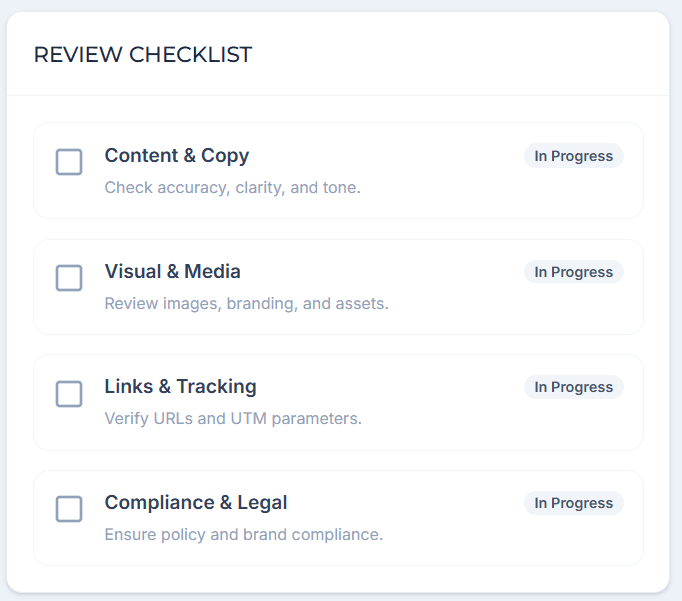
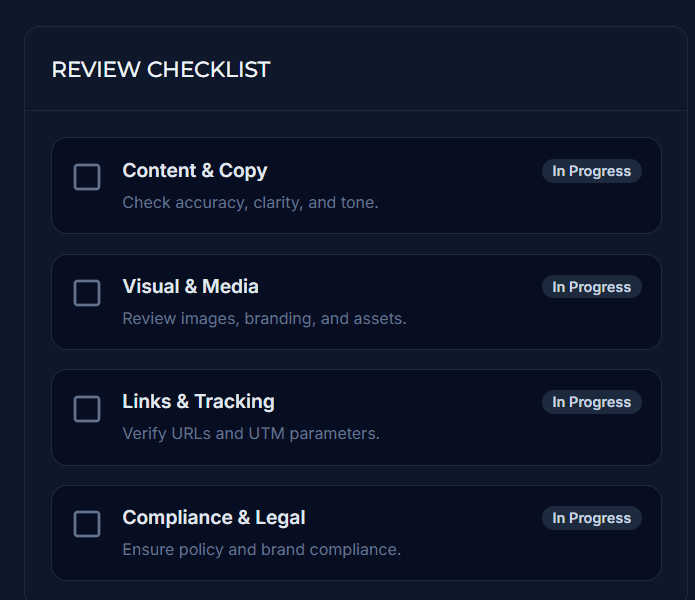
Review the real preview, work through a shared checklist, request changes and sign off, with every comment kept on the post.
- Review stages and your own checklists
- Publishing split from writing, by permission
- Clients can approve inside their own workspace
What no scheduler shows you
Likes don’t pay rent. See which post did.
Every post, ad, tracked link, QR code and promo code belongs to a campaign. When the lead becomes a deal in the CRM, or the code is used on an order in Sales, that campaign gets the credit.
- Step 1
Post or ad
Published from the campaign
- Step 2
Tracked link
Clicks with the UTM tags filled in
- Step 3
Lead
Lands in the CRM with its source
- Step 4
Deal or sale
Won in CRM, or a promo code on a sales order
- Step 5
Campaign revenue
Next to what the campaign cost
- Five attribution models side by side, over 7 to 90 days
- A buyer who came in as a lead is never counted twice
- Ad spend posts to Finance, so return on spend is real money
Posts and ads run on Marketing, which is generally available. Lead, deal, sale and ledger figures come from CRM, Sales and Finance, which are in Beta and free while they stay there. What Beta means
What it costs
Free for one channel. A small monthly price when you grow.
You buy units, not a fixed price per seat: a channel uses half a unit and a teammate a quarter.
Prices are in US dollars. At checkout you can pay in your own currency, from more than 140.
6 units on Pro, or $5 a month paid yearly
More tools, free while in Beta
BetaThe same account also opens 9 more modules, including CRM, invoicing, projects and e-signatures.They are free for as long as they stay in Beta. Marketing works fine on its own.
AI teammates
And AI that keeps working while you sleep.
Switch a job on in Automation and it runs on its schedule, inside the permissions you gave it. You choose whether what it writes is scheduled on the calendar or sent to Approvals first.
Plan and create
Social Content Planner
Writes the posts for tomorrow, the week or the month.
“What Should I Post?” Advisor
Fills the empty days with posts written in your voice.
Auto-Repurpose Content
Rewrites a post for the networks it did not reach.
Content Pattern Learner
Learns your voice, topics and the look of your feed.
Review and measure
Pending Post Reviewer
Checks length, hashtags, risky phrases and brand voice before a person has to.
Post Performance Reviewer
Compares each post with what is usual and says what to change.
Ads and campaigns
Ads Watch
Spots ads spending with nothing to show, and can pause one wasting money.
Campaign Keeper
Flags empty days, slow approvals and failed posts on a running campaign.
Or ask the assistant you already have
Connect ChatGPT, Claude or Gemini and run posts, campaigns and ads from the chat. It can do only what you could.
Questions people ask
Can someone write posts without being able to publish?
Yes. Permissions are set per workspace, so a writer can draft without publishing.
Can AI publish without review?
You choose. For each automated job, what it writes is either scheduled on the calendar or sent to Approvals first. Ads wait for a person before they launch or spend.
Which ad platforms can we use?
Meta (Facebook and Instagram) today. X, Google and TikTok appear as coming soon until each platform approves them.
Do revenue reports need other modules?
Lead, deal and sale figures come from CRM and Sales, and ledger figures from Finance. All three are in Beta and free while they stay there.
Which networks can we publish to?
Facebook, Instagram, LinkedIn, X, TikTok, YouTube, Pinterest, Threads, Bluesky, Telegram and Google Business Profile.